The Cloud and Bone Density Reporting

The current trend in software is “The Cloud“.  Maybe you’ve heard of it?  What does it mean for bone density providers?  In this posting, we’ll provide an overview of the cloud.  Future postings will assume this very basic understanding of The Cloud.

In short, The Cloud reflects storing of data on the Internet.  Some examples are online banking and email (such as gmail).  In these cases, the checking and savings account info and email may not reside on your PC.  Instead, the data is on a “server” somewhere out on the internet (“The Cloud”).

Access to data is typically provided through an application that is usually a web browser, but not always.  For example, banks typically provide a web based application to log in and manage checking and savings accounts.  Google provides email access through http://www.gmail.com.  You may also access gmail through an email client, such as Thunderbird or Outlook.  Mobile access to your email is via a phone app.

In understanding cloud-based computing, it may be useful to contrast it with the old way of doing things – desktop computing.  With desktop applications, one worked in a more isolated manner, on a PC.  Data is stored in files on the PC’s hard drive.  While it is possible to share and collaborate with others, it requires more work than cloud based applications.

In terms of business applications, including bone density practices, cloud based applications are likely to be classified as “enterprise class” applications.  Enterprise class applications are characterized by making entire teams work better and more efficiently.

  • Information is more easily shared among team members
  • A workflow can be instituted which improves team efficiency and reduces errors
  • Data is robust, it is backed up

The next few blog postings will highlight some benefits and touch upon how Cardea Technology‘s BoneStation realizes the benefits of the cloud via as an enterprise class application.

Structured BMD Data Permits Easy Query and Data Analysis

The two prior posts, Bone Density Reporting and PACS and The Evolution of Bone Density Reporting, prompted feedback from readers and BoneStation users.  The articles mentioned that quantitative bone mineral density data (BMD, t-score, z-score, etc.) is available in a structured form in the DICOM format.  Apparently this is quite appealing to physicians and researchers who would like to analyze and mine bone density data.

In this posting we will provide more information the bone density data in DICOM files.  We will describe where the data is stored, how it may be accessed, and the types of things that can be done with it.

Bone density data is available in the DICOM transmissions of bone density scans.  Specifically, BMD data is available in two forms – a raw image and a structured form.  The raw image is of little use in terms of analysis because the numerical information (area, BMC, BMD, t-score, and z-score) can not be extracted out of the image.  However, the structured form may be of considerable value because it can be parsed.

The structured BMD data is not visible when looking at a DICOM image.  The data is stored in private DICOM elements.  GE/Lunar and Hologic use their own proprietary formats.  Fortunately, each DXA manufacturer documents their format.  We have seen very few systems that utilize the structured BMD data stored in DICOM and have yet to encounter a PACS that makes use of the private data.

The DICOM standard supports many modalities – CT, Ultrasound, etc.  Unfortunately, DXA is not one of them.  This is the reason the DXA manufacturers have created their own private DICOM fields for storing BMD data.

BoneStation depends heavily on the structured BMD data.  It parses the data and stores it in its database.  From there, BoneStation can display the data in ways that are useful to physicians.  It can:

  • Perform calculations, such as change in BMD between arbitrary scans
  • Highlight scans performed on different DXA machines or with different scan modes
  • Highlight questionable scan values
  • Assist the physician in assessing an exam – for example, an interpretation may be provided based on t-score

Of course, more than just scan data is available.  BoneStation captures additional information, some of which is customized per user.  Some of this information is entered during the review process and some via an online patient history questionnaire.  A sample of data that may be available:

  • Treatments, current and past
  • FRAX risk factors
  • ICD9 codes
  • Vertebral Fracture Assessment (VFA) fractures, including severity and type
  • Etc…

All of this information is stored in a standard relational database and may be queried using Structured Query Language (SQL).  Tools such as Microsoft Excel and Crystal Reports may be used to access the database. A wide variety of queries may be performed.  Here is a very small sample of the types of queries that may be of interest.

  • How many bone density scans were performed by month for the past year.
  • Find all patients with a t-score within a range – say t-score <= -2.5.
  • Find all male patients under 65 with a t-score below -2.5.
  • Find all patients being treated for osteoporosis who are osteopenic.
  • How many patients are being treated with a specific ICD9 code for each of the past 3 years.
  • Find patients with a moderate or worse VFA fracture.
  • How many scans is each physician reviewing.
  • How many scans have poor quality.
  • How much time does each physician take to interpret scans.

Some astute readers picked up on the value of structured BMD data in DXA DICOM transmissions.  Structured data can be stored in an organized fashion and easily queried and mined for clinical, quality, research, and financial purposes.

Bone Density Reporting and PACS

In our last post, The Evolution of Bone Density Reporting, we looked at how reporting for DXA progressed from manual reporting to cloud based solutions.  We skipped a method of reporting that utilizes Picture Archiving and Computer Systems (PACS).  Many radiologists use PACS for a variety of modalities, including DXA.  We’ll examine bone density reporting with PACS and make comparisons with DXA specific reporting solutions that were discussed in the prior post.

PACS is a key tool used by modern radiology departments.  A typical system consists of a large amount of digital storage, high fidelity DICOM display terminals, and software.  A variety of modalities (digital x-ray, CT, MRI, DXA, etc…) transmit scans to PACS utilizing DICOM.  The images are stored in PACS and can be viewed via DICOM displays.  The amount of storage determines how long images can be recalled and viewed.  After a period of time, images are typically archived and may not be immediately available.

Bone density reporting is often performed with PACS and dictation software.  Typically a radiologist will view a bone density scan on a DICOM display while also dictating or transcribing a report.  This process is consistent with how radiologists create reports for other modalities.

One disadvantage to dictation/transcription is quality.  In our last post we noted quality was addressed with the DXA manufacturer provided reporting software as well as BoneStation.  Bone density scans contain images plus quantitative data, such as BMD, t-score, and z-score.  DXA specific software extracts the data and places it in a report.  With dictation, the radiologist must speak these values in order to transfer them into the report.  This method of transferring numeric data into a report is reminiscent of manual reporting – errors may occur.

It is important to note that the bone density quantitative data is available in two ways within the DICOM transmission.  First, the data is burned into the bone density scan image.  When a radiologist views a bone density image in PACS, it is these values that are transcribed.  There is very little else that can be done with data burned into an image.  Second, and more importantly, bone density data (BMD, t-score, z-score, etc) is also available as values in private DICOM elements.  These values may be extracted, parsed, and placed in a report. Software may read these values and perhaps even aid in decision making.  Calculations, such as change in BMD may be performed in software.  A FRAX risk factor may also be calculated.

We have seen few systems that utilize the values in the private DICOM elements.  PACS is largely used for storing and displaying of images and while it works well with many modalities, it typically ignores BMD data in DXA scans.  The process of dictation/transcription represents a somewhat manual method of transferring the values from the scan into a report.

Another important capability of reading DXA scans is to follow a patient’s progress.  A reader of bone density scans typically compares a current scan with historical scans – by viewing scans side-by-side. Regions of interest (ROIs) are compared for consistency over time.  PACS usually retains images for a certain amount of time.  Historical scans may not readily be available, however.

In summary, PACS is a great tool for modalities that produce images only.  For DXA scans, however, there is a gap in handling of quantitative data that is available in the bone density scans.  In actuality, it lacks the capabilities of even the first generation of bone density software reporting tools.

The Evolution of Bone Density Reporting

Introduction
In this article we’ll examine bone density reporting and how it has evolved over the years.  Bone density testing is a relatively new test.  Reimbursement for bone density tests wasn’t approved until the mid 1990s.  DXA machines became the primary method used to measure bone mineral density.   Initially, there was little to aid physicians who reviewed bone density scans, as the process was largely manual.  Now there is a cloud based solution.

We’ll take a brief trip, chronologically, through the advances in bone density reporting.   Improvements in reporting will be discussed.  Quality, convenience, and cost improvements will also be noted.

We break down the evolution of bone density reporting into three stages:

  • Manual reporting makes use of pencil and paper or word processors to generate reports.
  • Desktop solutions are first generation software package produced by the DXA equipment manufacturers.
  • Cloud (web) based solutions, such as BoneStation.

Radiologists often use another method to review bone density scans.  This involves the use of PACS with  dictation or transcription.  We’ll look at this option in more detail in a future article.

Background
A bone density scan is a somewhat unusual test.  It has the qualities of both an imaging procedure and lab test.  The scan consists of an image plus numerical data, such as bone mineral density (BMD), t-score, and z-score.

The process of evaluating bone density scans is referred to as reading, reviewing or interpreting bone density scans.  Physicians are specially trained to read bone densitys scans.  A reviewing physician typically looks at both the scan image and numerical data.  It is common to compare current scans with a patient’s prior scans.  A typical report  may include the numerical scan data, an assessment (for example, osteoporosis, osteopenia, or normal), recommendations, and a statement about change in bone mineral density (BMD) – assuming the patient had prior scans.

The Evolution
Manual Reporting
In the beginning, bone density reports were created manually.  DXA machines produce printouts of scans.  A printout contains a scan image and tables of numbers, including bone mineral density (BMD), t-score, and z-score.   The data was typically re-entered into a word processor and an assessment was typed in.  The scan image was usually omitted, since it was difficult to get the scan image into the report.

The disadvantages to this method are quite obvious:

  • Data entry of the bone density quantitative data (BMD, t-score, z-score) is error prone.
  • The only way to compare a scan with prior scans is to have the printouts of the prior scans, and this involves manual labor to pull old charts.
  • Storage of paper scans and reports can be costly.
  • To calculate change in BMD, during review, is also be labor intensive.
  • It was difficult to include images in a report.

Desktop Solutions
Eventually the DXA manufacturers implemented the DICOM standard.  DXA machines could then transmit bone density scans to other computers.  Soon after, the DXA manufacturers provided desktop software applications that could communicate DICOM and receive bone density scans.  A physician could install the desktop software on his office PC and have bone density scans transmitted to it.  Using the software, he could then create a bone density report.  The report could be stored in an electronic format – a data file.

This software was an advancement and addressed issues with the manual method:

  • Quality was improved mainly due to elimination of data entry.  The software could extract the quantitative data from the DICOM transmission and place it in the report.
  • Reports could contain images.
  • Reports took an electronic form and could be stored that way.

Desktop reporting also introduced new problems.

  • Where are electronic reports stored?  Would they remain on the PC of the reading physician?  What if there are multiple reading physicians?
  • How could one recall an old report easily?  Even though reports were stored electronically, the desktop applications offer no easy way to access an old report.
  • What about privacy or security issues with storing scans (in DICOM format) and reports on a PC hard disk?
  • How are reports backed up?

The desktop software also represented an additional cost – both direct and hidden.  The main direct cost was the software itself.  The DXA manufacturers offered the software for purchase.  Hidden costs included addressing the problems described above.  Additional tools and infrastructure are need to backup electronic data, store reports on a network, organize reports (in a database) to be easily searchable, and provide security and privacy of electronic data.

The side effects of introducing desktop software vary depending on the number of bone density tests performed.  A high volume provider may have an IT department in place and the infrastructure for addressing storage, backup, and security may exist.  A low volume provider may have to hire expertise in these areas.

Cloud
The “cloud” solution is BoneStation.  The term “cloud” is today’s common lingo for storing data out on the Internet.  Scans are transmitted, via DICOM, to BoneStation.  Reviewing physicians log into BoneStation’s web application and can view scans – images and data – and create reports.

BoneStation solves the problems of the manual and desktop methods.   Scan data (BMD, t-score, z-score, etc) is automatically extracted and made available on the report.  No data entry is needed.  BoneStation also makes prior scan images and reports available during the review process, which was a shortcoming of the desktop solutions.

New problems introduced by the desktop software are also addressed.

  • Reports are stored centrally, in an enterprise class database.
  • The database is backed up, which prevents data loss.
  • An easy to use search mechanism provides the ability to easily search for and view old reports.
  • Access to BoneStation is secure.  One must be granted authorization to access BoneStation in order to see bone density data.
  • Data transmitted to and from BoneStation is encrypted, which maintains privacy.

In addition, there are additional clinical advantages:

  • Prior scan images and data are available – even during review.
  • Old medical history questionnaires are also available, which is useful with FRAX.

Cloud based solutions often solve a wider spectrum of problems while also being more cost effective.  BoneStation addresses issues of quality, security, data integrity, and privacy.  It is easy to install and use, requiring simply a web browser and internet access.

Costs are typically lower with cloud based solutions.  Startup costs are low and cloud solutions are typically offered on a per usage basis.  BoneStation is offered on a cost per report basis.  In addition, BoneStation addresses hidden IT costs, such as storage, backup, and privacy and there are no upgrade and maintenance fees.

Summary
While bone density testing is relatively new, there are modern solutions available for reporting.  The initial desktop solutions addressed quality issues related to data re-entry.  The most recent solutions are more comprehensive and address clinical, quality, and information technology problems while keeping costs low.

Additional links:

BoneStation – cloud-based bone density report for DXA.

Reading bone density scans on a mobile device with BoneStation.
BoneStation Upgrade

Cardea Technology has released BoneStation version 2.2. These are just some of the new features in new version 2.2:

  • Detection of Potential Mismatches of Patient Data
  • Optional VFA Scan ReviewAlerts given to reviewing physician
  • Logging of Electronic Transactions and Program Activity
  • Tracking of Scan and Report Transmission
  • Technologist Workflow Interface
  • Preview Report before Finalizing
  • Report on Fracture Risk
  • Updated HIPAA Compliance

Achieve new milestones in bone health assessment, quality control and reporting functionality with BoneStation.

More Information on Version 2.2.

BoneStation Standard Features


BoneStation was created exclusively for physicians and radiologists who review and interpret DXA bone density scans.

What is Telemedicine?

Telemedicine, Telehealth and Teleradiology are terms that refer to the process of providing medical information over electronic communication equipment. Telemedicine uses a range of technologies including standard telephone service, high-speed internet, wide-bandwidth transmission  in conjunction with computers, fiber optics, satellites, and other sophisticated peripheral equipment and software.

There are three models of Telemedicine: Real Time, Store and Forward and Home Health Medicine. Real time telemedicine allows doctors or doctors and patients to communicate together to assess or contribute to the patient’s health care. This can be done by telephone, internet web conferencing, video conferencing or even posting to a private internet discussion board.

The store and forward model of Telemedicine refers to the transmission of medical data from one device to a recipient who reviews the data on another device. For example, when a patient is scanned on a bone density scanner, the resulting scan, analysis and quantitative data can be electronically transmitted via dicom format to a storage device. Cardea Technology’s BoneStation system is an example of a store and forward system used for teleradiology. The scans from the bone density machine are transmitted to the BoneStation central database where a physician can retrieve and view them through the BoneStation web application.

Home health telemedicine refers to measurements or treatments that are given to patients in their home and the results are transmitted back to a medical center, usually some distance away. Home health equipment consists of capturing vital signs, video conferencing capabilities, and the gathering of patient information from a remote monitoring device that can be reviewed and alarms can be set from the hospital nurse’s station, depending on the specific device.

For more in depth information on telemedicine, please refer to these professional telemedicine organizations and web sites:

Telemedicine Information Exchange

American Telemedicine Association

International Society of Telemedicine and eHealth

Great Plains Telehealth Resource & Assistance Center

Canadian Society of Telehealth

California Telemedicine and Ehealth Center (CTEC)

Medicare Makes No Bones About It

The Federal government has made no bones about it. With current Medicare policies, they simply are not taking the issue of bone health seriously. At least that is the position that Congress and Medicare has taken through the summer of 2008. Surprisingly, the public is by-and-large unaware of the situation. The result will likely be a degradation in the quality of life for many elderly, particularly women, as they experience hip fractures that could have been prevented in many cases with the support of adequate levels of Medicare DXA exam reimbursement.

We are talking about Osteoporosis. It is a disease that causes a weakening of the bones. About 10 million Americans have the disease, with women at four times the risk. Another 34 million are at risk. For more information about Osteoporosis see the National Osteoporosis Foundation’s web site.

Osteoporosis is known as the “silent disease”. It often shows no visible effects – until it is too late. The result is usually a fractured bone, the worst of which is usually the hip. A fractured hip in the elderly can be a life altering event. Almost one in four patients age fifty and older die within a year of a hip fracture. Many of those that survive require long term care. The good news is that drugs are available to prevent fractures.

In the United States, a DXA exam is the most common test to measure bone strength – or bone density – and Medicare reimburses for the test. It is typically performed on an outpatient basis and usually takes less than thirty minutes. A DXA machine utilizes x-rays to determine bone density. Typically the hip and spine are measured and sometimes the arm.

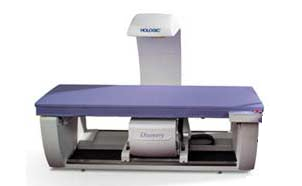
A DXA machine

Figure 1 – A typical DXA machine.

Sample hip scan

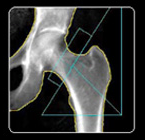
Figure 2 – A sample DXA hip scan.

Starting in 2006, Congress and Medicare, in two separate and unrelated actions, began processes to reduce reimbursement to physicians for performing DXA tests. The cuts were gradual through 2010. By 2010, the reimbursement rates would be far below the cost to perform the tests. In 2006, Medicare paid approximately $139 for the test. By 2010 the rate was reduced to under $40.

What does that mean for the elderly patient who is at risk. Most (about 70%) of these tests are performed in physician’s offices. Those physicians will be hit especially hard, because the DXA reimbursement cuts are a little more drastic for them. They will simply stop offering the tests. It will become more difficult to schedule an exam and patients will have to travel further. It is unclear how large institutions, such as hospitals, will react. Some may continue offering DXA testing. For these large health centers, the 2010 reimbursement rates are below their costs.

The affects are just beginning to ripple through the industry. Some physicians have already stopped offering DXA tests. According to a study by the Lewin Group, 93% of physicians will stop offering at the 2010 reimbursement rates. Technologists, who perform the exams, have sought other positions or have been let go. Training of technologists has seen a significant decrease.

The public seems to be largely unaware of the state of affairs regarding DXA testing. However, physicians and other industry groups have been fighting to save DXA testing in the U.S. There is legislation before Congress that could help. At this point, it is unclear whether DXA will remain a viable option in the U.S.

Cardea Technology is the maker of BoneStation, a software tool that assists physicians with the review of bone density exams.

Additional links:

International Society For Clinical Densitometry Advocacy

Perfrect Storm Brewing in Women’s Bone Health

Bill to Save DXA

Recent Study of Bone Health Across the Globe

Integration of medical systems and devices

Much of medical technology has now become digital. Medical devices integrate through special languages and formats that are understood by a wide variety of machines allowing data to be transmitted and used by multiple medical departments or practices.

Before the digital era began, medical personnel would take a measurement on a medical device and display or print out the results. For example, x-ray machines provided a method for scanning a patient and producing the resulting image on film. The film would then have to find its way, usually by human hands, to a reviewing radiologist in order to be interpreted. With the evolution of technology, devices are becoming less dependent on humans and more on electronic transmission. That is to say, the results from medical imaging devices are stored electronically and require less dependability of human input to accomplish a task. In the case of the x-ray, digital images of x-rays are transmitted across computer networks, stored remotely, and displayed for medical personnel.

At the heart of the digital world is the computer network. Digital equipment within an office or small geographic area is connected with a local area network, or LAN. For organizations that are spread out geographically, a wide area network, or WAN, may be used to connect LANs. Computers, medical devices, and information systems communicate via the network.

There are a wide variety of devices used for diagnostic purposes. They take measurements and/or images and transmit them, via computer network, to medical information systems. Most people are familiar with the common types of medical devices, such as CT, MRI, digital x-ray machines (x-ray machines which no longer use film) and other imaging devices.

Other types of information systems act as repositories for medical data. Some of the common types of systems include: HIS (Hospital Information System), RIS (Radiology information System), reporting systems, and PACS (Picture Archiving and Communications System). HIS and RIS provide a wide variety of capabilities that encompass both administrative and clinical functions, including scheduling, billing, and storage and viewing of results. RIS tend to be geared more towards radiology departments. PACS are typically used for storage of large numbers of images and support almost instant recall of any image for viewing.

So how do the medical devices and information systems integrate? The computer network provides the physical connection through which systems communicate. Beyond that there are two standards that allow devices to interact via a common language – HL7 and DICOM. HL7 is generally used to transmit textual information, such as patient data, exam data, and results. DICOM was devised largely for radiology and includes the ability to transmit images.

Let’s take a look at how the process works and how the various systems and technologies fit together. A typical situation is one where a primary care physician orders a test for a patient. The patient is referred to a specialist – say a radiologist – for an x-ray. The radiologist will then read the image and provide results in the form of a report.

The steps in the process might go like this:

1) An appointment is made with the medical specialist, typically by the patient or primary care physician’s staff.

2) If the primary care physician’s staff makes the appointment, they might create an “order” in the HIS/RIS for the appointment.

3) On the scheduled appointment date, the patient arrives. A technologist performs the x-ray and transmits the images to the PACS via DICOM. Newly received images will remain in a queue within the PACS. This queue is often referred to as a worklist.

4) The radiologist logs into the PACS. It is common for radiologists to utilize multiple computers and monitors when reviewing images. A special monitor connected to the PACS offers high fidelity images, allowing the radiologist to see details in the image. A second monitor typically runs standalone reporting software, such as a dictation package. The radiologist, while looking at the image on one monitor, will dictate results into the other.

5) When the review of images and patient data is complete, the radiologist saves the interpretation on the computer with the reporting software. To get the results to the primary care physicians, the radiologist transmits the report to the HIS/RIS where the primary care physician has access to the report.

6) The primary care physician logs in to the HIS/RIS and view the results. Note that primary care typically does not have access to the tools of the specialist. PACS and the reporting software are tools used by the specialists to create reports.

This scenario represents one way in which medical systems may be integrated. This is a common case and most other situations are variations of this.

BoneStation: The Software Tool for Bone Densitometry

BoneStation automates the preparation, interpretation, creation, distribution and storage of bone density reports using DXA technology. A web-based interface streamlines the review process for bone density practitioners into a single, secure, interconnected system that processes reports in 1/3 of the time. BoneStation enables practices to provide more accurate bone health assessments and increase revenue without adding administrative staff, transcription services or additional practitioners – directly improving quality of care and profit margins.

Electronic Health Records in Practice

Administrators of today’s medical practices are facing rapid changes in the management of patient health information as advances in technology occur and government initiatives influence the direction of healthcare information systems. Understanding the evolving terminology and concepts used to describe this vast array of technology is fast becoming a pivotal part of the needs of a medical practice. Here is a look at some of the key concepts.

A Document Management System (DMS) is an early form of a record management system. A DMD is a system used to track and store electronic documents or images of paper documents in a physician’s office. It does not generally assume the interconnectivity capabilities of an electronic medical records system, although more recent systems offer the option of an integrated platform. Examples include voice recognition software, a desktop database, or a template-driven document production system.

An Electronic Medical Record (EMR) offers increasing sophistication over a document management system. An EMR is the creation of a medical document within a physician’s office with the added capability of the import of information from a variety of external sources such as laboratories, radiology centers and pharmacies. Often, this record can also be exported to offices outside the physician’s practice, including the patient, pharmacist, referring physician or specialist. An electronic medical record usually offers full interoperability within an enterprise.

An Electronic Health Record (EHR) is a more universal health care record than an EMR and it’s management is not centralized by one physician, but rather contains a longitudinal record of a patient’s health from multiple health care offices. For example, the content of an EHR may come from a primary care physician, a bone density practitioner, a laboratory, a pharmacy and an insurance carrier. Each of these sources of information can both receive and give new information. Since the information flow of an EHR is “bi-directional” (giving and receiving) and the content includes the total experiences of the patient, it is distinguishable from an EMR. The EHR also supports the collection of data for uses “other than clinical care, such as billing, quality management, outcomes reporting, and public health surveillance and reporting”. (HIMSS, 2002)

A Continuity of Care Record (CCR) is an electronic health record that meets certain standards of portability and data exchange. ASTM International, the Massachusetts Medical Society, HIMSS, the American Academy of Family Physicians, the American Academy of Pediatrics and health informatics vendors jointly developed the standards describing a CCR. The goal was to create a CCR that will enable each healthcare provider to access and transport historical health information in order to support the safety, quality, and continuity of patient care. The CCR may be used as a vehicle to exchange clinical information among providers, institutions, or other entities. Because the CCR is an XML standard document, it will be both machine and human readable, and the data content may be displayed or printed in a variety of formats, including by web browser, PDF reader, and word processor.

Benefits of the CCR

The CCR is expected to have a significant impact on the quality of care by reducing medical errors and limiting costs:

  • A healthcare provider will not have to search for or guess about a patient’s allergies, medications, or current and recent past treatments.
  • A healthcare provider will be informed about the patient’s most recent healthcare assessment and services.
  • Patient demographic information can be quickly and easily verified.
  • A patient’s insurance status will be more easily identified and established.
  • Costs associated with the patient’s care may be reduced, such as avoiding redundant tests.
  • The effort required to update the patient’s essential information will be minimized.